briDJe User Manual
License Activation
Last updated
Free tier limits
- Export: up to 15 tracks per export. If your selected unique tracks exceed 15, the export is blocked rather than truncated.
- Import: imports lock once your library’s track count has reached 15. Deleting tracks afterwards does not reset the lock.
- A first import batch can go past 15, so don’t assume a folder is trimmed to exactly 15. To test, use a small folder, or activate to work with your full library.
- Editing and previewing tracks already in your library stay available.
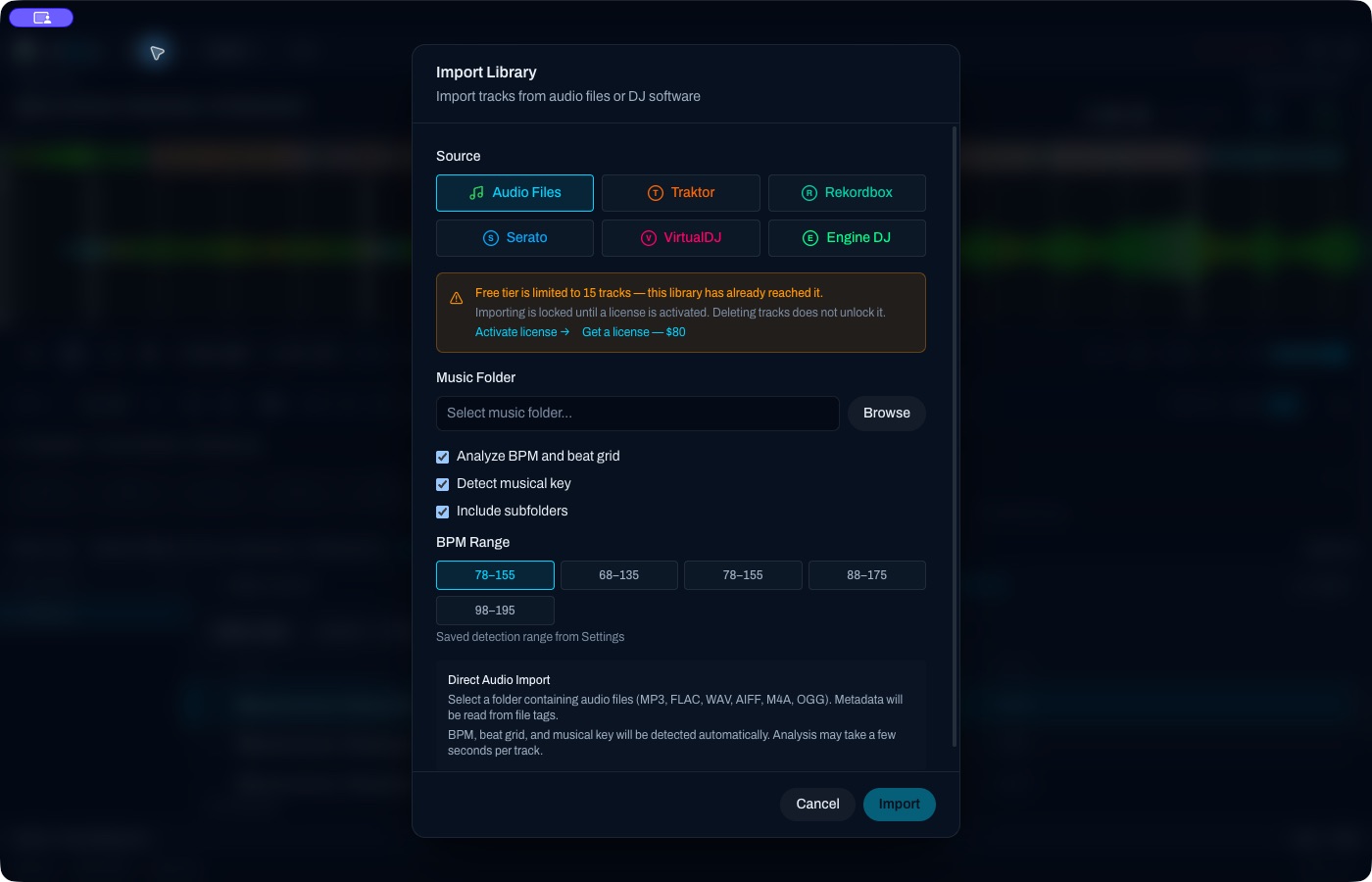
The import dialog with the free-tier lock showing. This is the locked state, not a successful import.
Activate
- Open Settings → License → Activate, or click Activate license in the import or export dialog.
- Paste the key you were issued. The field’s placeholder is
BRDJ-XXXXX-XXXXX-XXXXX-XXXXX, which is four groups of five characters. - Confirm the activation.
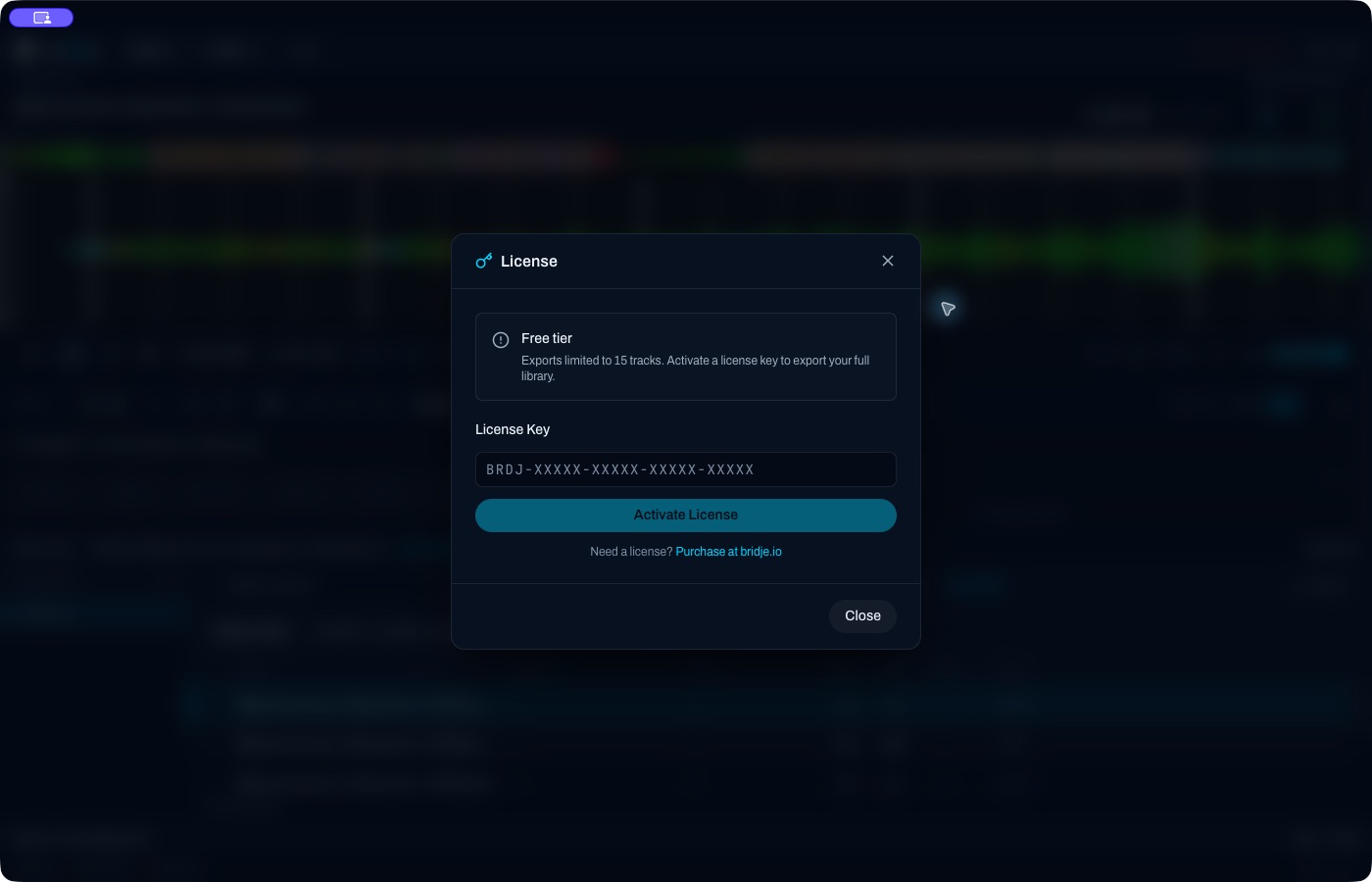
The first activation needs an internet connection.
Offline use
After activation, briDJe caches a signed activation token and tries to refresh it at most once every 24 hours. The current implementation allows up to 14 days of offline use after a successful refresh, but the actual token expiry governs. Reconnect before it runs out. If the cache expires, licensed features revert to the free-tier limits. Do not rely on unlimited offline use.
Devices
The license screen shows device usage and the maximum for your license. Use the quota shown for your license.
Deactivate on this machine clears the local activation even if the server can’t be reached. To free the slot on the server, deactivate while online. If the old computer is gone, or a slot still looks occupied, contact [email protected].
For an expired offline activation, reconnect to refresh it before considering deactivation.
Missing key
Email [email protected] from the address you ordered with. Don’t post your full key in public screenshots or messages.
Troubleshooting
- Invalid key: paste the key as issued, with no extra spaces, and check you’re online for first activation.
- Device limit reached: deactivate on a machine you no longer use, or contact support.
- Features locked after being offline: reconnect so the activation can refresh.
See also Installation and Exporting and backups.